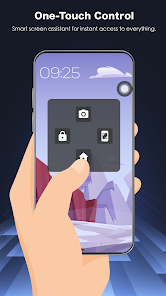
Assistive Touch 2026 puts a customizable floating control panel on your Android device so you can access Home, Back, Recent, volume and common settings without using physical buttons. If your phone is large, if you want to protect the power or home keys, or if you simply want faster access to apps and toggles, this utility streamlines navigation while staying lightweight. The floating button stays on top of apps, offers quick-launch shortcuts and adjustable appearance, and it's aimed at improving one-handed use, reducing button wear, and speeding common tasks across your device.
Key Features
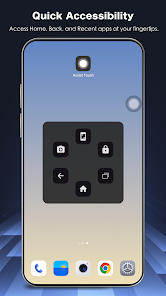
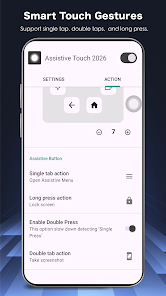
⭐ Assistive Touch 2026 provides virtual Home, Back, Recent and Lock controls so you can navigate without using physical buttons.
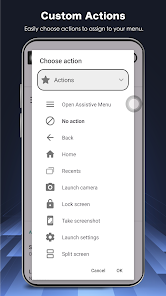
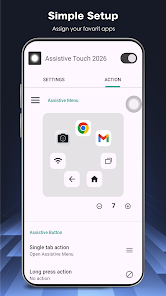
⭐ Quick toggles for Wi-Fi, Bluetooth, flashlight, screen rotation, brightness, GPS, airplane mode and a screenshot tool are available from the floating panel.
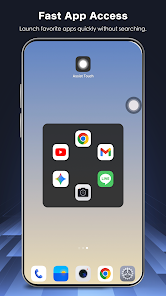
⭐ Add favorite apps to the shortcut panel for instant one-tap access to messaging, video or social apps from any screen.
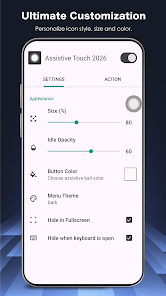
⭐ Fully customizable icons, panel colors, size and transparency let you match the control to your phone and avoid obstruction.
⭐ Integration with the Accessibility Service API enables global actions such as going back, returning home, opening recent apps and locking the device.
Advantages
✅ Protects physical buttons by offering software alternatives for power, volume and home functions, extending hardware lifespan.
✅ Designed for large-screen and one-handed use, Assistive Touch 2026 makes common tasks faster and more convenient on bigger phones.
✅ Lightweight and efficient with minimal impact on performance and battery, delivering smooth, lag-free operation.
✅ Privacy-focused: the Accessibility Service is used only to perform global actions and the app does not collect, store or share personal data through that service.
Disadvantages
❎ Requires enabling the Accessibility Service, which some users may be hesitant to grant despite the limited scope of use.
❎ The floating button can cover parts of the screen until you adjust its position, so occasional customization may be needed to avoid obstruction.